Background
I first applied for AdSense for this site in March 2020, using a different Google account. Both the account and the site were approved without much trouble.
I later closed that AdSense account because of payment profile issues. In October 2025, I decided to add AdSense to the site again. I also wanted to eventually put ads on the documentation sites and dashboards for my open-source projects. Covering a bit of the server bill would be enough.
I thought I would just add the code and wait for the review. Instead, it turned into a full year of trying to get approved.
Over that year, I applied for account approval 13 times and submitted this site for review 10 times. Now that it has finally passed, I wanted to write down what happened. Some changes fixed real problems with the site. Others were things I tried because I thought they might help. I still don’t know which change actually made the difference.
Update your AdSense application
I got very familiar with this email. After receiving it, I would open the AdSense homepage and see this message:
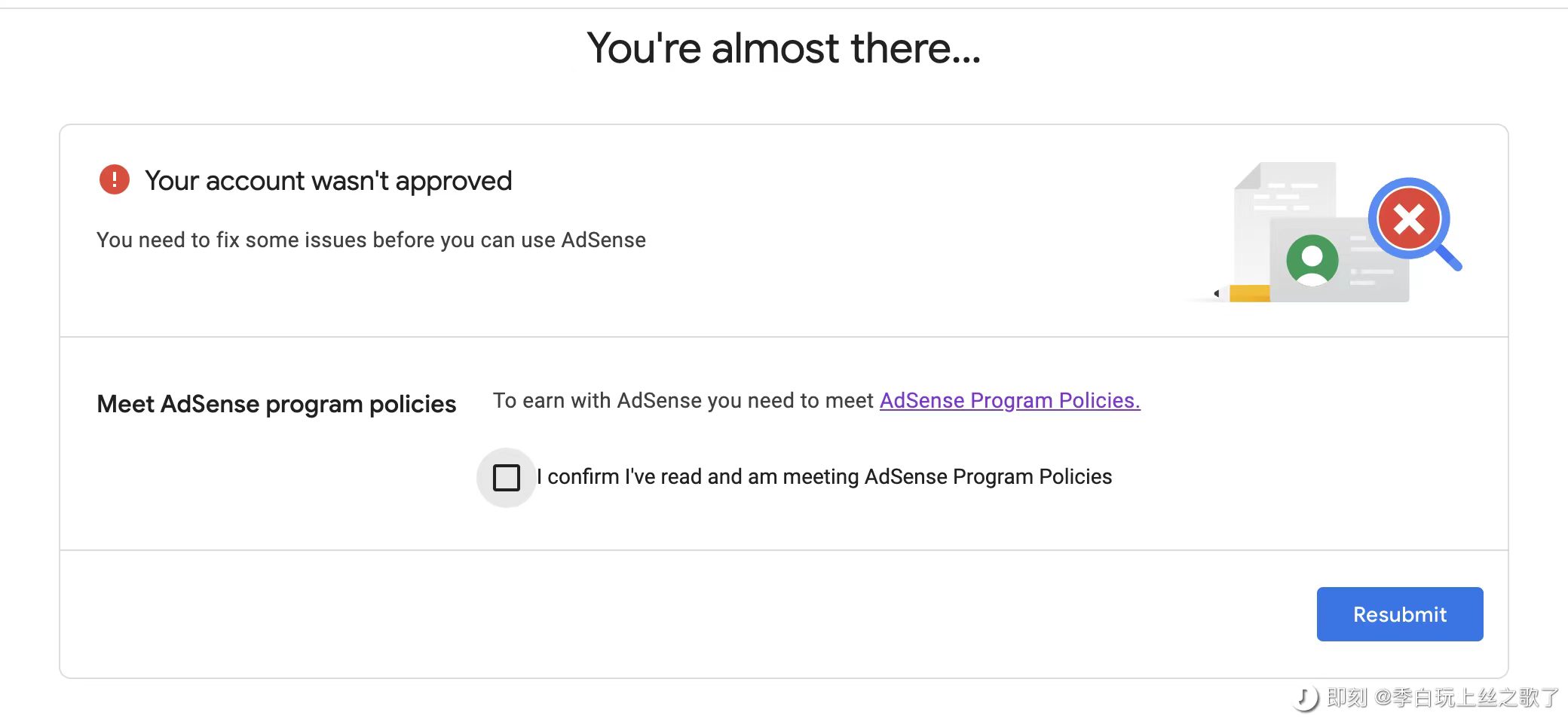
Your account wasn't approved, followed by a message saying I needed to fix some issues before using AdSense. Then it would point me to the publisher policies. But it didn’t clearly tell me what was wrong.
At first, I read through the policies carefully. By the fifth, eighth, or tenth copy of the same email, I was getting pretty frustrated. Change something, submit, get rejected a few days later, and start guessing again.
I read plenty of posts in Chinese and English. Everyone seemed to have a different answer. One Facebook group said the payments section had to show a green check mark. It seemed to be an Indian group, judging by the Hindi conversations. People in a Chinese overseas-business community on Jike mentioned the same green check mark. Others said it was an account problem and that I should just apply with another account.
But then I found a community manager in the AdSense Help Center saying that the green-check-mark story was a rumor spread by people in India selling accounts against the rules. That left me even more confused. Who was I supposed to believe?
I did wonder whether the account was the problem. I even considered closing both AdMob and its associated AdSense account and starting over if the next attempt failed. Luckily, I didn’t go through with it.
Eventually, I started writing down what I changed before each submission. Otherwise, by the next rejection, I couldn’t even remember everything I had already tried.
Did the crawlers even visit?
The site runs on Cloudflare Pages, and I use Cloudflare for DNS too. So I wrote a Cloudflare Workers script to log crawler User-Agents, IP addresses, and requested pages in a D1 database. It emailed me whenever a crawler I was watching showed up.
After two months of monitoring, I hadn’t seen Mediapartners-Google once. Google-Display-Ads-Bot had visited a few times. I then started looking at Googlebot’s logs, thinking it might be responsible for the content review. I couldn’t find a useful pattern there either.
Google’s AdSense crawler documentation mentions those two User-Agents. It also explains something easy to miss: blocking crawling under User-agent: * alone may not block the AdSense crawlers. You need rules for the relevant User-Agent.
So checking the general rules wasn’t enough. I needed to check the ad crawlers’ own rules too. As for which crawler does what during a review, my logs couldn’t tell me that. I made some wrong guesses about it later.
Cleaning up articles I had published elsewhere
I had previously published identical copies of some blog posts on Jianshu, a Chinese writing platform. My GitHub READMEs also contained quite a bit of the same content. I wondered whether Google was having trouble figuring out where the originals were, so I took down the old Jianshu posts and shortened the READMEs to introductions with links to the blog.
I couldn’t do much about Bilibili, since I had already closed that account. I left it alone.
I can’t say that publishing the same content elsewhere caused the rejections. It was just one of the possibilities I tried to address. Posting an article on multiple platforms doesn’t automatically mean AdSense will reject your site.
Contact details and privacy policy
My blog already had these pages, but I checked them again during the application process.
Contact details were available in the footer. The privacy policy explained which services the site used, how it handled data, and what it did with advertising. I also reviewed the GDPR and terms pages to make sure their content matched what the site actually did.
There wasn’t any special trick here. I mainly checked that the links worked and that I hadn’t just dumped a generic template onto the site and forgotten about it.
SEO, loading speed, and broken links
While applying for AdSense, I also worked on the site’s SEO and performance. I wrote about those changes in these two posts:
- Fixing GSC Duplicate Pages and Canonical URL Problems Before Applying for AdSense
- Website Performance Optimization: From 53 to 97 on PageSpeed Insights
I cleaned up the homepage’s H1 and H2 hierarchy and checked each article’s title and description. I also found a pretty basic mistake: the publisher ID in my AdSense script was missing the ca- prefix. The code was there, but the parameter was wrong.
I had also written some logic to block the AdSense script on certain pages. During troubleshooting, I removed the parts that might interfere with the review checks. Which pages should load ad code depends on what they are for. Saving a little loading time isn’t worth accidentally blocking it where it needs to run.
There really were a lot of broken links
I initially thought my blog had no broken links. As the rejections piled up, I finally ran a scan with Broken Link Checker.
There were quite a few.
The image problems came from a previous bulk domain replacement. I had replaced raw.githubusercontent.com with github.com and never noticed that some images had stopped loading. The broken page links mostly came from incorrect pagination links generated by the theme, plus old links to articles I had deleted.
I fixed the links on the site first. Then I checked Google Search Console for indexed pages that now returned 404 and submitted removal requests where I needed to clear old search results. A GSC removal request only deals with the search results. You still have to fix the broken links on your own site.
The AdMob PIN letter arrived
At the end of January 2026, I completed PIN verification for AdMob. Once ad earnings reach the address verification threshold, Google sends a letter with a PIN to verify your payment address. That doesn’t have much to do with whether a blog passes its site review, though I couldn’t tell whether it had any bearing on AdSense account approval itself.
The letter arrived just 14 days after it was sent. I had been worried it might get lost around Chinese New Year, so that was pleasantly quick.
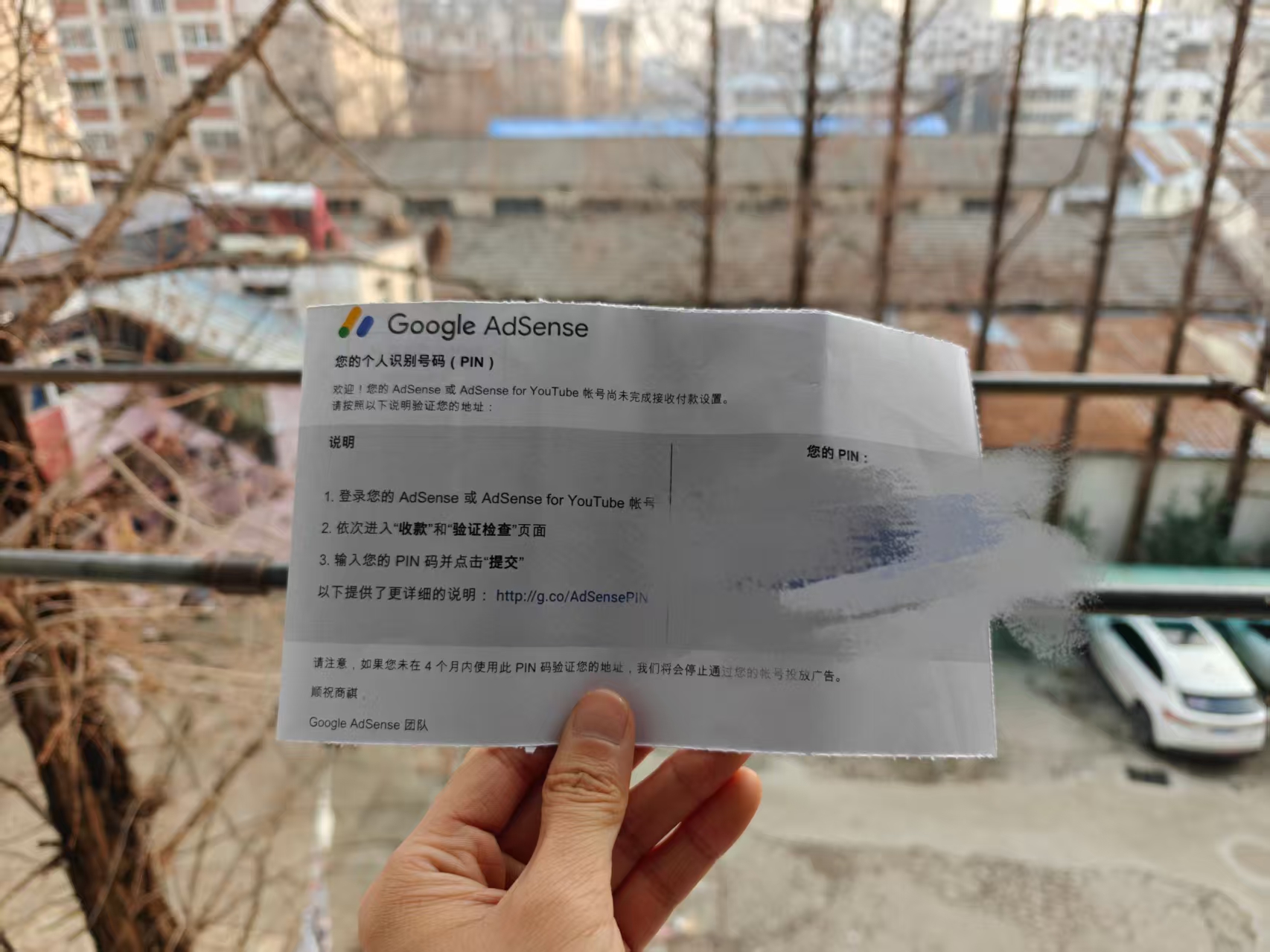
The PIN was verified, but the payment status on the AdSense homepage still said We've got your info.
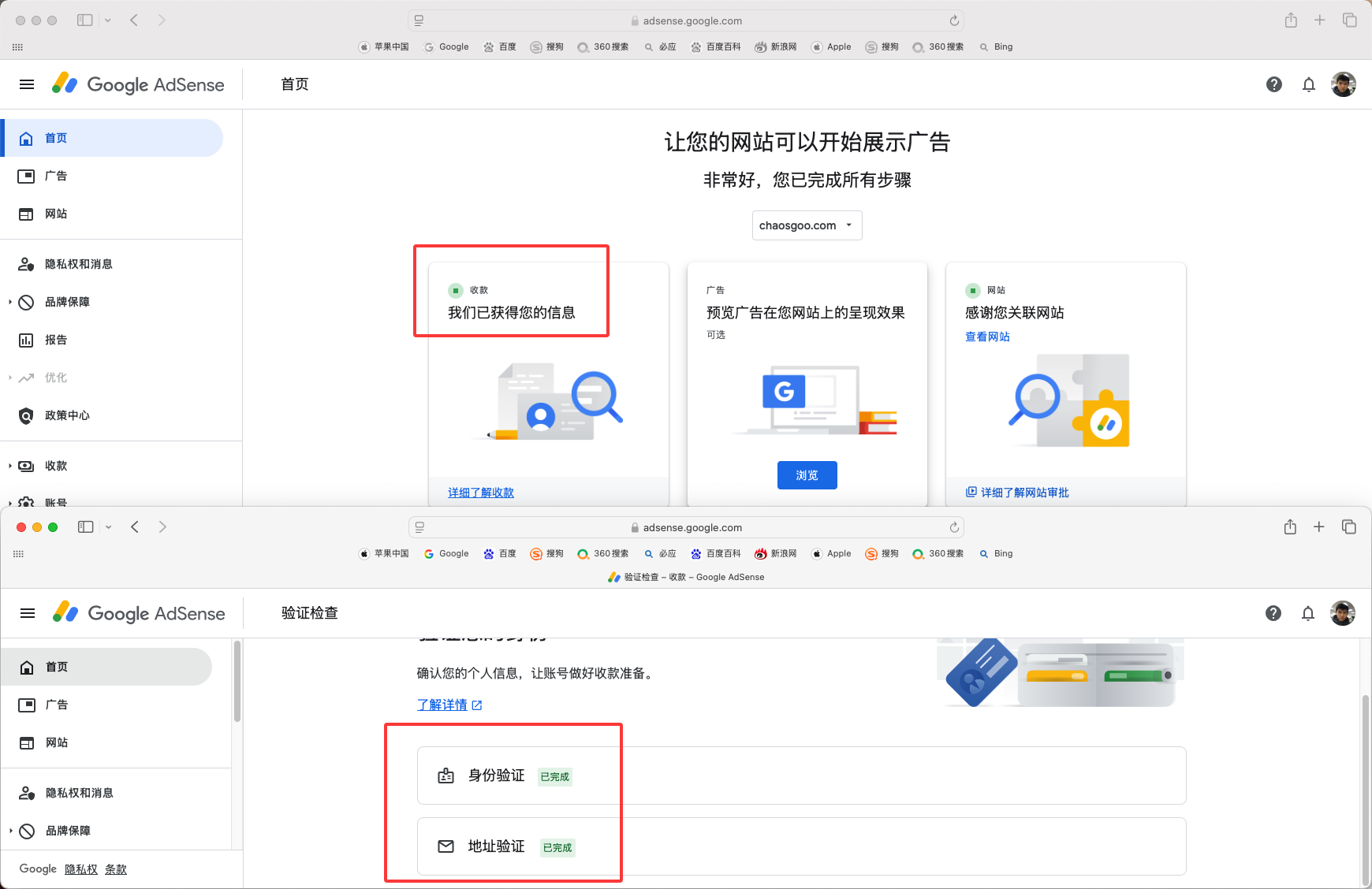
AdMob had been straightforward with the same Google account. The account was approved in about a day, and the app I submitted was approved in roughly a day too. A publisher ID had already been assigned when I opened AdMob, but the website still wasn’t getting approved.
I also linked my other Google accounts to this AdMob account to check whether any of them had previously opened AdSense. As I understood the linking requirements, an account being linked couldn’t already have its own AdSense account. All of them could be linked, so I concluded that duplicate accounts weren’t the problem.
Asking support
In early February 2026, I found a way to email AdSense support. I sent a request with high hopes and got an almost immediate rejection.
I wasn’t ready to give up, so I sent another email asking someone to review it manually. This time, someone did reply. The gist was insufficient signals. I took that to mean there wasn’t enough traffic or crawling data, but they didn’t explain exactly what signals they meant. That was just my interpretation.
At least I had received something other than the usual rejection template. That made me feel a little better. A few days later, though, the same “Update your AdSense application” email arrived again.
I decided to stop for a while and try again at the beginning of the next month. In the meantime, I would keep updating the blog. I wanted to enjoy Chinese New Year without thinking about this.
Mediapartners-Google finally showed up, and I still got rejected
On February 23, I happened to notice an option to add a bank account in the dashboard. I hadn’t seen it before. I didn’t know when it appeared. Maybe it had something to do with completing PIN verification?
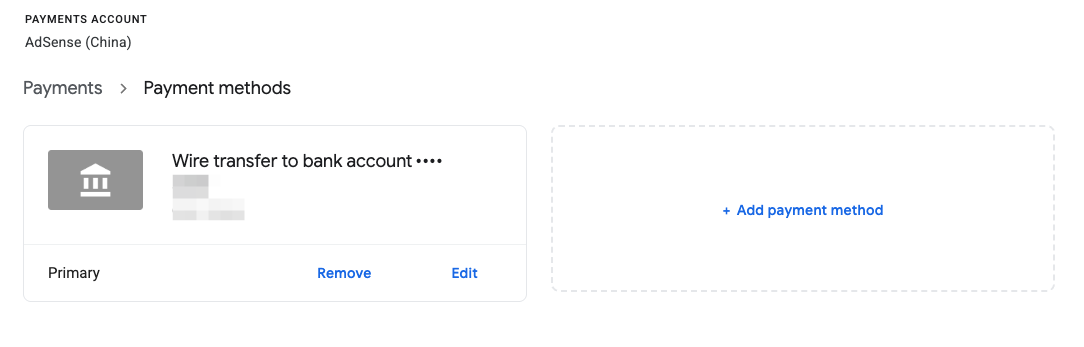
On March 1, after returning from Huaibei, I submitted another application. The next morning, my monitoring script emailed me: Mediapartners-Google had visited more than 1,800 times overnight. When I opened AdSense, the payment status had also changed to “Your profile is complete.”
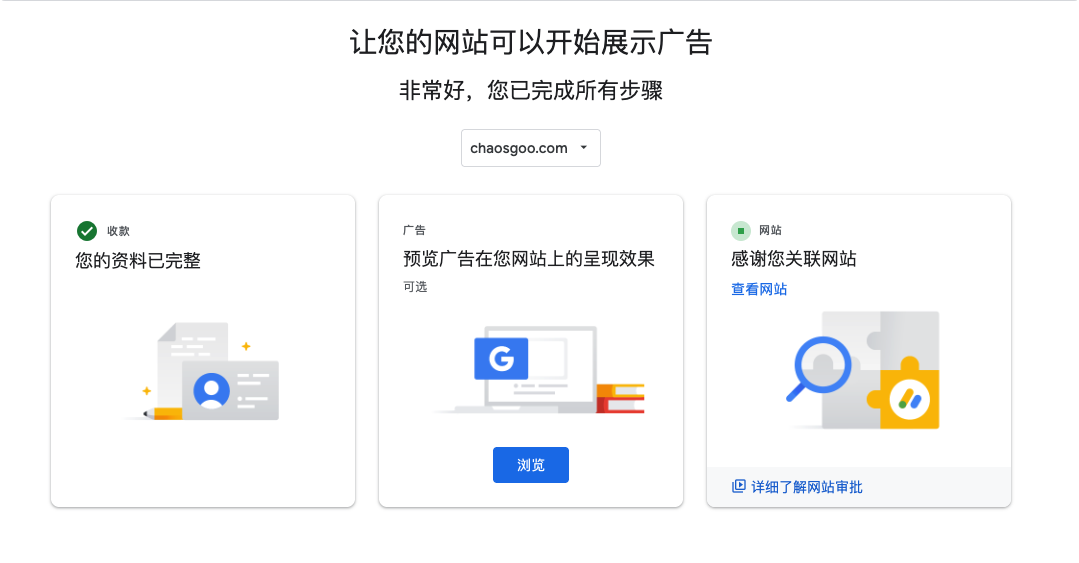
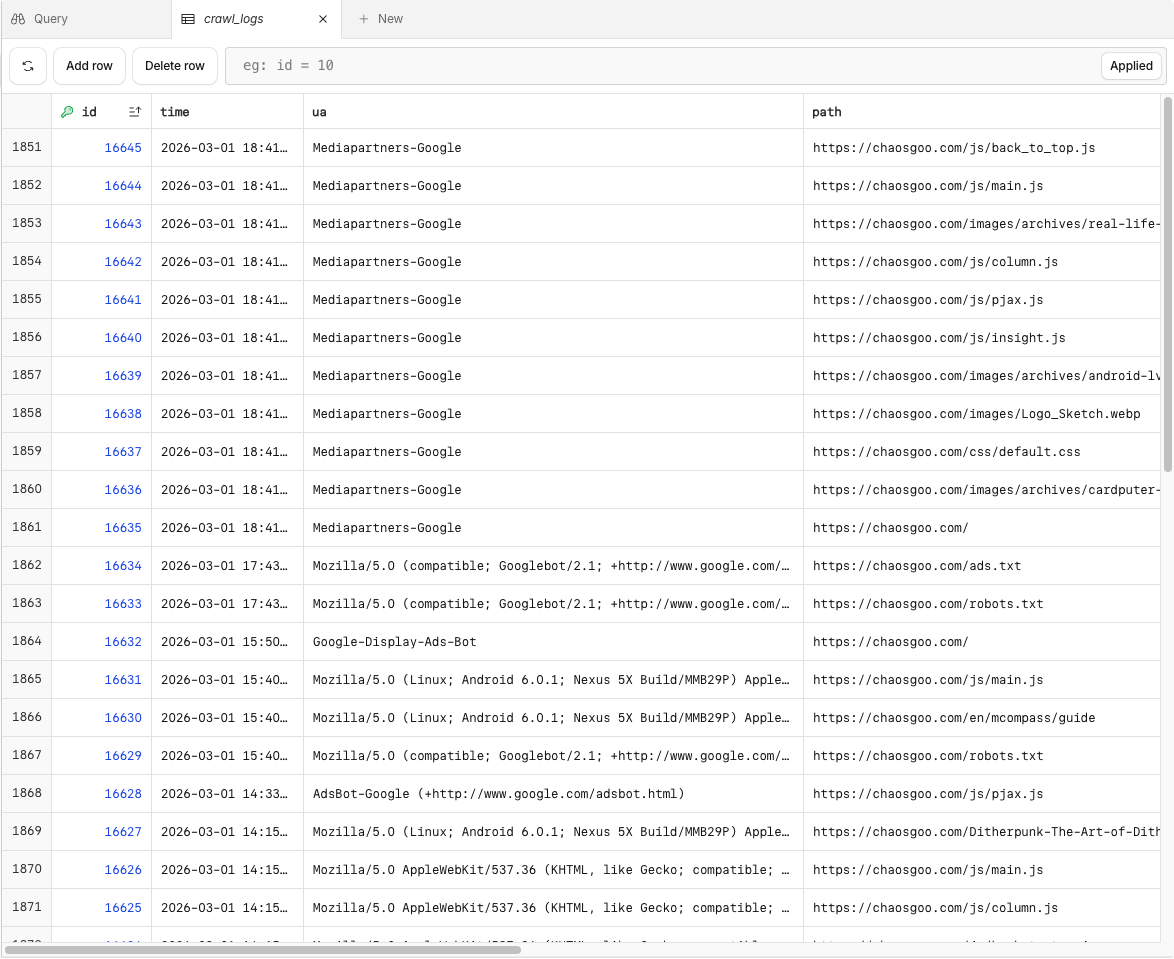
I had never seen it before, and now it was suddenly making all these requests. I thought I might finally be getting somewhere.
Still rejected.
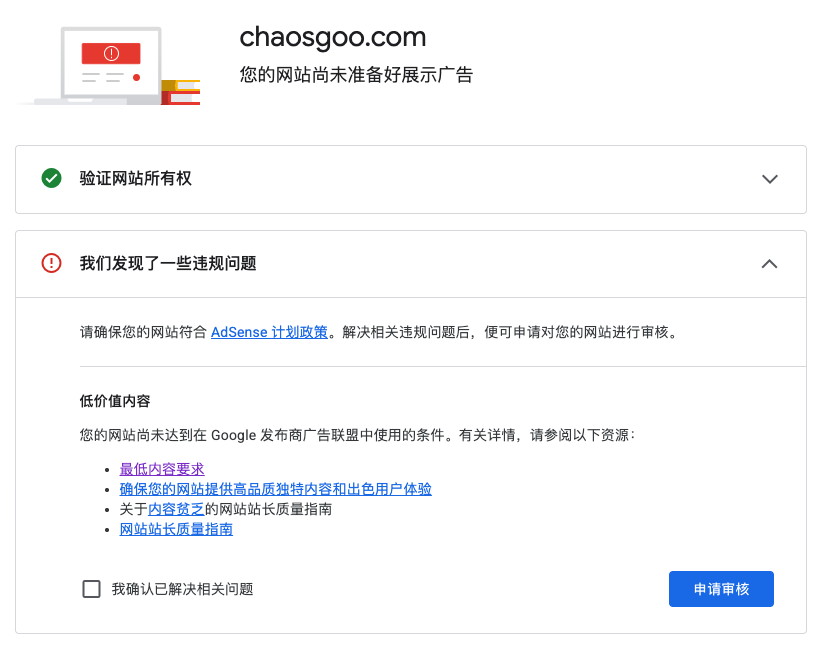
This time, though, the reason was “Low-value content.” At least that gave me something more specific to look at instead of continuing to guess about the account.
Did the green check mark for payments matter?
At the time, I connected the payment profile becoming complete with the crawler starting to visit. I also guessed that Mediapartners-Google handled content reviews while Google-Display-Ads-Bot checked ads.txt.
But the logs only showed that these things happened close together. They didn’t prove that relationship. Mediapartners-Google analyzes page content to match ads. Its presence doesn’t mean approval is coming. I got rejected immediately afterward myself.
So fill in the payment details you’re asked for and address any pending dashboard tasks. But I have no evidence for the claim that “content review only starts after you add a bank account.” Having previously opened AdMob also isn’t enough to conclude that AdSense is somehow “half activated.”
I found a problem in robots.txt too
After the “Low-value content” rejection, I went through the crawler logs. There were lots of requests to content.json, archives/, categories/, and tags/. I was still using Hexo at the time. content.json was the site’s search data file, and the other paths mostly contained listing pages.
I remembered blocking content.json. Why was it still being requested?
This was the old configuration:
User-agent: *
Allow: /
Disallow: /content.json

User-agent: Mediapartners-Google
Allow: /

User-agent: Google-Display-Ads-Bot
Allow: /

Sitemap: https://chaosgoo.com/sitemap.xml
At first, I thought putting Allow before Disallow had overridden the restriction. That was wrong. Rule priority isn’t determined by the order you write them in. Generally, the more specific matching rule matters.
The thing to notice here is that I had created a separate group for Mediapartners-Google, but it only contained Allow: /. It didn’t block content.json. I couldn’t assume that it would automatically inherit the restrictions under User-agent: *.
I changed it to this at the time:
User-agent: *
Disallow: /content.json
Allow: /

# Allow Google's advertising crawlers
User-agent: Mediapartners-Google
Disallow: /content.json
Disallow: /tags/
Disallow: /en/
Allow: /archives/
Allow: /posts/
Allow: /

User-agent: Google-Display-Ads-Bot
Allow: /archives/
Allow: /posts/
Allow: /
Disallow: /en/

User-agent: AdsBot-Google
Disallow: /content.json
Disallow: /tags/
Disallow: /en/
Allow: /

Sitemap: https://chaosgoo.com/sitemap-index.xml
This is a historical configuration I tried, not something I recommend copying. I wanted to reduce crawling of data files and listing pages, and I also blocked the English pages. During a later review of the site, I stopped blocking those content paths. Translated pages aren’t automatically low-value content, and ad crawlers should be able to access articles where you want to serve ads.
Asking AI to check the access logs
I used Google’s Antigravity, added the database file and blog source to its workspace, and explained the rejection reason. I asked it to look for suspicious pages using the access logs.
It pointed out a page that substantially overlapped with the About page, plus an old friends-links page containing just two links. I checked them myself and couldn’t see much reason to keep either one, so I deleted them.
I also suspected that some English pages were too similar to their Chinese versions. Even though I had configured hreflang, I removed them from the sitemap and added robots.txt restrictions. Looking back, this was another attempt I hadn’t properly validated. Hreflang describes relationships between language versions. It doesn’t guarantee AdSense approval.
After making those changes, I submitted GSC removal requests for the personal introduction page and the friends-links page, waited two days, and submitted the site for review again.
I even suspected the GitHub repository
The blog source used to live in a public GitHub repository, including the article source files. I worried that Google had indexed those files and treated them as duplicates of the blog, so I made the repository private.
Again, that was just a guess. I have no evidence that the public repository caused the rejections. Plenty of blogs are open source. You don’t need to close your repository just because I did.
Clearing old search results
GitHub isn’t my website, so I couldn’t use my own GSC property to remove its search results. Google also has a Refresh Outdated Content tool, where you can submit requests for pages that have changed or are no longer publicly available.
I selected the option to refresh an outdated Google search result for a changed page and entered the repository URL.
I ran out of review requests too
Later, I noticed that Mediapartners-Google would still crawl the site even when I hadn’t submitted another review request. So seeing it in the logs really wasn’t enough to tell where the review stood.
Eventually, I couldn’t submit another request at all. The dashboard said:
You have reached the limit on site review requests and cannot request another review at this time. You can try again on April 24, 2026.
I had to wait. That was the date shown in my dashboard, not a universal reset date for every account. Check your own dashboard for the actual restriction.
Comparing my submission dates afterward, I inferred that I could make at most two requests before entering a cooldown period.
Finally approved
At last, I received a different email. The site was ready to show AdSense ads.
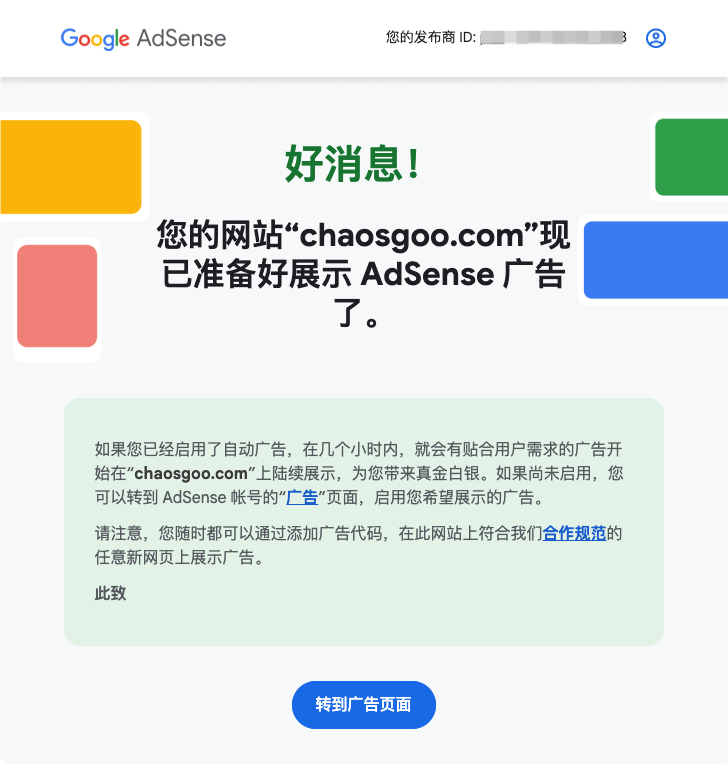
I had kept this draft around while waiting for that screenshot. I could finally add it.
But I can’t say that changing robots.txt got the site approved. I changed it earlier and still received more rejections afterward. I fixed quite a few problems along the way and tried some things that don’t look particularly convincing now. I can’t attribute the eventual approval to any single change.
If you keep getting rejected too
Start with things you can actually verify: whether the publisher ID in the ad code is correct, whether the articles load, whether any images are broken, whether internal links lead to 404 pages, and whether robots.txt or Cloudflare blocks legitimate crawling. Check the contact details and privacy policy too. Having a link doesn’t help if clicking it leads to an empty page.
Handle payment details and account status according to the dashboard instructions. I read plenty of claims that I should “just use another account” or “get the green check mark first.” I never figured out exactly when those claims were supposed to apply, and I wouldn’t recommend blindly following them.
Also, don’t keep hitting Submit like I did until you use up your review requests. Fix the problems you’ve found, keep a note of what you changed, and leave some time before applying again. Keep writing in the meantime. It’s easy to spend every day watching for rejection emails and stop updating the blog altogether.
This post is mostly a record for myself. If you’re seeing the same messages, I hope the parts about broken links, ad code, and crawler rules help. I’m leaving my wrong guesses in here too, so I don’t forget them and try the same things again next time.